“If a picture is worth a thousand words, a video is a library.” – Srinivas Narayanan
❓ What You’ll Learn
- How to chat with videos to trim footage and get editing tips?
- How to live-edit parts of the video?
- How to make great videos in one take?
- How to lower the barrier to entry?
- Why should you build AI plugins for popular video editors?
- How to get early feedback?
- How to help users streamline video creation?
- How to help users overcome creative blocks?
- How to boost customer success?
- How to help prospective customers pick you over competitors?
- How to build trust with your target audience?
- How to monetize traffic?
- How to get leads with free tools?
🔍 Problem
To make great videos, you need a high level of skill, creativity and technical expertise.
💡 Solution
AI video editing tools help you focus on your artistic vision and storytelling.
Instead of cutting, trimming, adding captions and taking care of other technical details.
🏁 Players
AI Video Editing Tools
- Opus Clip • Turn long videos into short clips
- Descript • The simple, powerful and fun way to edit
- Typeframes • Turn text into product videos
- Gling AI • Cut silences and bad takes
- invideo AI • Create videos with text prompts
- FireCut • Lightning-fast AI video editor in Adobe Premiere Pro
- Zubtitle • Add subtitles, trim and repurpose videos with a few clicks
🗺️ Roadmap
1️⃣ Build Your App
- Add a chat interface to trim footage, enhance visuals, apply effects and more.
- invideo AI tweaks the video with text commands.
- Viddyoze can make and edit videos from a simple chat.
- Filmora has an AI Copilot that offers editing tips for your video.
- Let customers live-edit parts of the video.
- Pika lets you change colors and objects in the scene.
- Sora can change colors, objects and environments from text.
- Help users make great videos in one take. Let AI enhance the visuals and sound to make it look professional.
- Descript lets you overdub mistakes and awkward phrases by rewriting the script.
- Vimeo lets you make videos in one take. You can generate, record and edit the script to get the best result.
- OneTake uses AI to edit, enhance and translate videos. Check out the original and AI-enhanced videos on its landing page.
2️⃣ Pick Your Monetization Strategy
- Charge per user.
- Vimeo costs up to $108 per user.
- invideo AI costs up to $60 per user.
- Descript costs up to $30/mo per user.
- Offer pay-per-use plans to lower the entry barrier by minimizing costs.
- CaptionCreator lets you get up to 2,000 credits for $140.
- Opus Clip lets you pick the number of processing minutes per year.
- DeepBrain AI Studios offers up to 240 AI processing minutes per month.
- Use subscriptions to get predictable cash flow.
- TimeBolt costs $17 per month.
- Synthesia costs up to $67 per month.
- Adobe Premiere Pro costs $23 per month.
3️⃣ Find Your First Customers
- Build on top of ecosystems to lower market risk. Help users become more productive with the tools they use.
- FireCut is an AI video editor plugin for Adobe Premiere Pro.
- AutoPod offers automatic editing for video podcasts and shows in Adobe Premiere Pro.
- AI AI, CAPTAIN is an AI editing plugin for Adobe Premiere Pro and DaVinci Resolve Studio.
- Offer beta access to get early feedback.
- Dumme asks you to join its waitlist.
- Spingle.ai lets you apply to its beta waitlist.
- Nova AI announced a beta of its AI video clip maker.
4️⃣ Improve User Experience
- Offer stock assets to help users streamline video creation.
- Share video templates to help users overcome creative blocks.
- invideo AI has 5,000+ video templates for inspiration.
- Kapwing has hundreds of templates to boost your creativity.
- DeepBrain AI Studios has 500+ templates to make sales, news and education videos.
5️⃣ Boost Brand Awareness
- Offer tutorials to educate users and boost customer success.
- FlexClip shares AI video creation and editing tips.
- OpusClip has tutorials on how to make, edit and export videos.
- Filmora has a full guide of its basic and advanced editing features. You can get free AI credits and 30-day plugin access by learning Filmora.
- Build comparison pages to help people pick you over competitors.
- Use content marketing to build trust with your target audience.
6️⃣ Scale Your Business
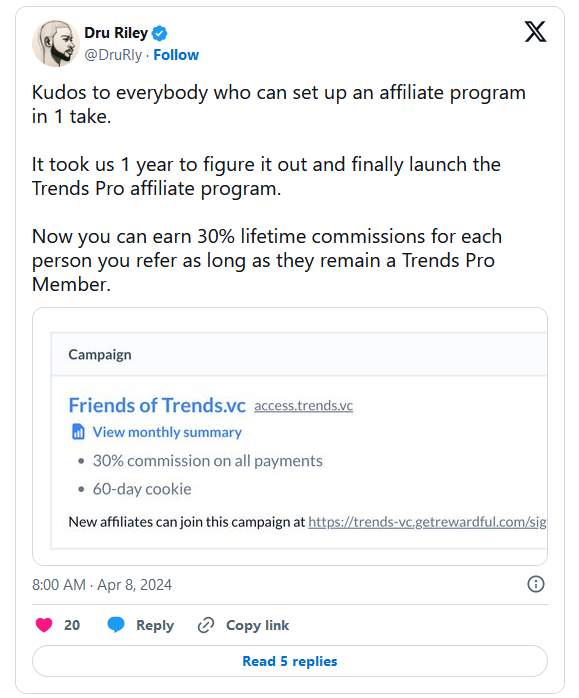
- Build an affiliate program to monetize traffic.
- Wisecut pays up to $52 per sale.
- Zubtitle pays 30% recurring commissions.
- Fliki pays a 30% commission for every sale.
- Use side project marketing to boost awareness and get leads.
- VEED has a free silence remover.
- Opus Clip has a free tool for generating captions.
- Kapwing has free tools such as an AI subtitle generator.
- Offer a demo to get warm leads.
- Vimeo lets you play with its transcript editor.
- Keyframes Studio lets you try a demo project.
- Typeframes lets you generate and edit a sample video from text.
🙏 Thanks
Thanks to Chris Beaumont and Stewart Townsend. We had a great time jamming on this report.
✏️ Emin researched and wrote this report. Dru researched and edited this report.
📈 What else?
Trends PRO #0146 — AI Video Editing Tools has more insights.
What you’ll get:
- 16 AI Video Editing Tool Examples (129% More)
- 9 Ways to Build AI Video Editing Tools (200% More)
- 7 Ways to Monetize AI Video Editing Tools (100% More)
- 4 Ways to Find Your First Customers (100% More)
- 5 Ways to Improve User Experience (150% More)
- 6 Ways to Boost Brand Awareness (100% More)
- 7 Ways to Scale AI Video Editing Tools (133% More)
With Trends Pro you’ll learn:
- (📈 Pro) How to build a script-based video editor?
- (📈 Pro) How to make videos programmatically?
- (📈 Pro) How to make personalized videos at scale?
- (📈 Pro) How to turn AI avatars into virtual influencers?
- (📈 Pro) How to serve companies with high demand?
- (📈 Pro) How to boost revenue by upselling additional features?
- (📈 Pro) How to nudge users into higher-end paid plans?
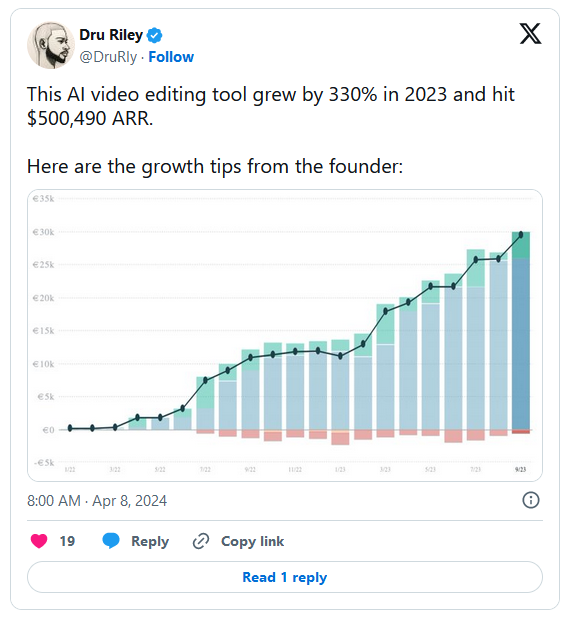
- (📈 Pro) What tool grew to $500,940 ARR after 2 years of losing money?
- (📈 Pro) How to boost SEO by targeting high-intent, low-volume keywords?
- (📈 Pro) How to drive traffic to your landing page?
- (📈 Pro) How to attract video editors to use your tool?
- (📈 Pro) How to cost-effectively acquire customers?
- (📈 Pro) How to build an AI-assisted video production agency?
- And much more…
Get Weekly Reports
Join 54,000+ founders and investors
📈 Unlock Pro Reports, 1:1 Intros and Masterminds
Become a Trends Pro Member and join 1,200+ founders enjoying…
🧠 Founder Mastermind Groups • To share goals, progress and solve problems together, each group is made up of 6 members who meet for 1 hour each Monday.
📖 160+ Trends Pro Reports • To make sense of new markets, ideas and business models, check out our research reports.
💬 1:1 Founder Intros • Make new friends, share lessons and find ways to help each other. Keep life interesting by meeting new founders each week.
💲 100k+ Startup Discounts • Get access to $100k+ in startup discounts on AWS, Twilio, Webflow, ClickUp and more.
Brought to you by the team behind HeadsUp